Account verification (KYC/KYB)

Personal account: Identity verification (KYC)
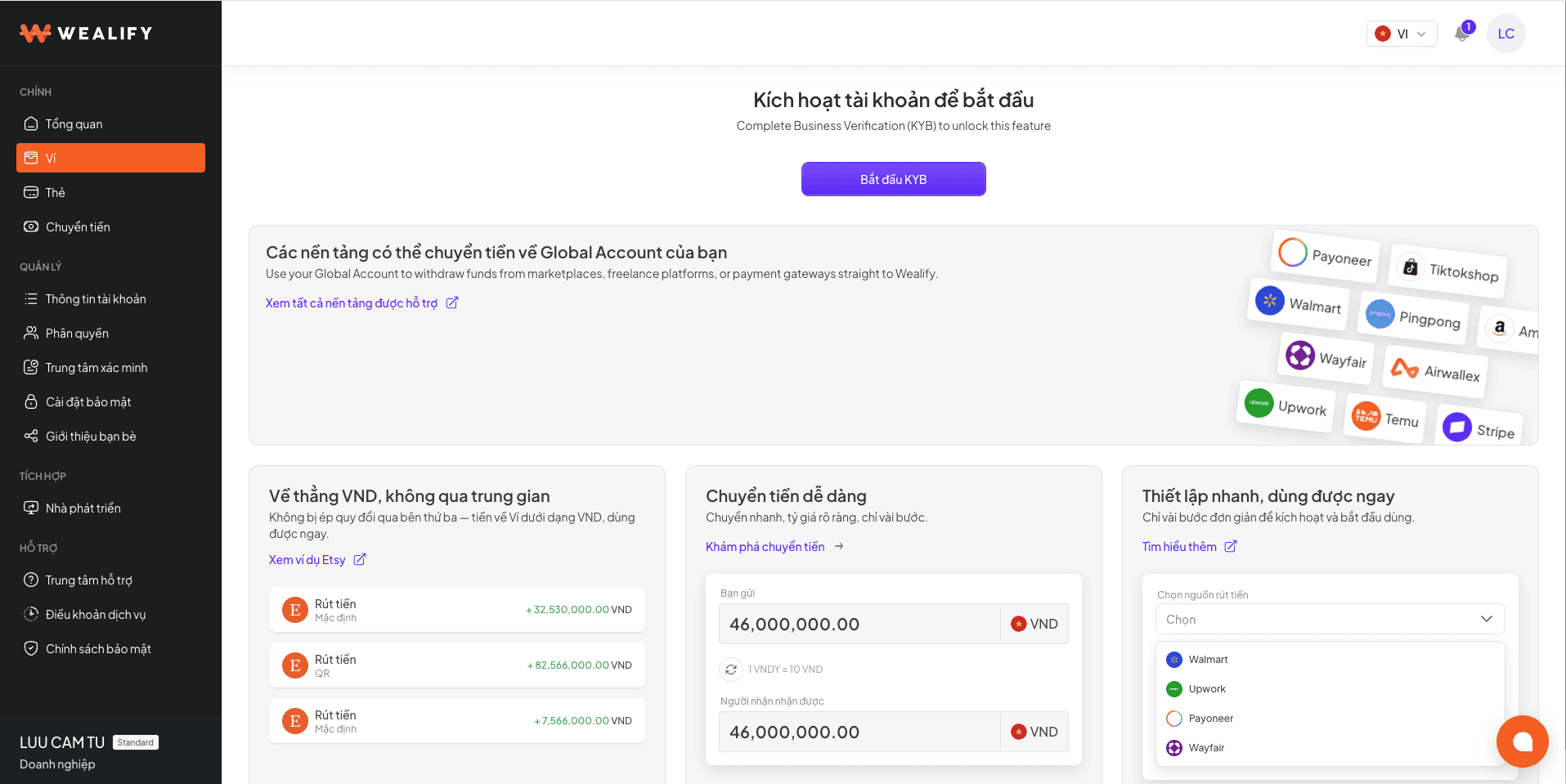
After signing up, you need to verify your account to use all Wealify features: KYC for personal accounts, KYB for business accounts.

Your verification result applies to both Global Account and Cards. You don't need to verify again when you start using another product.

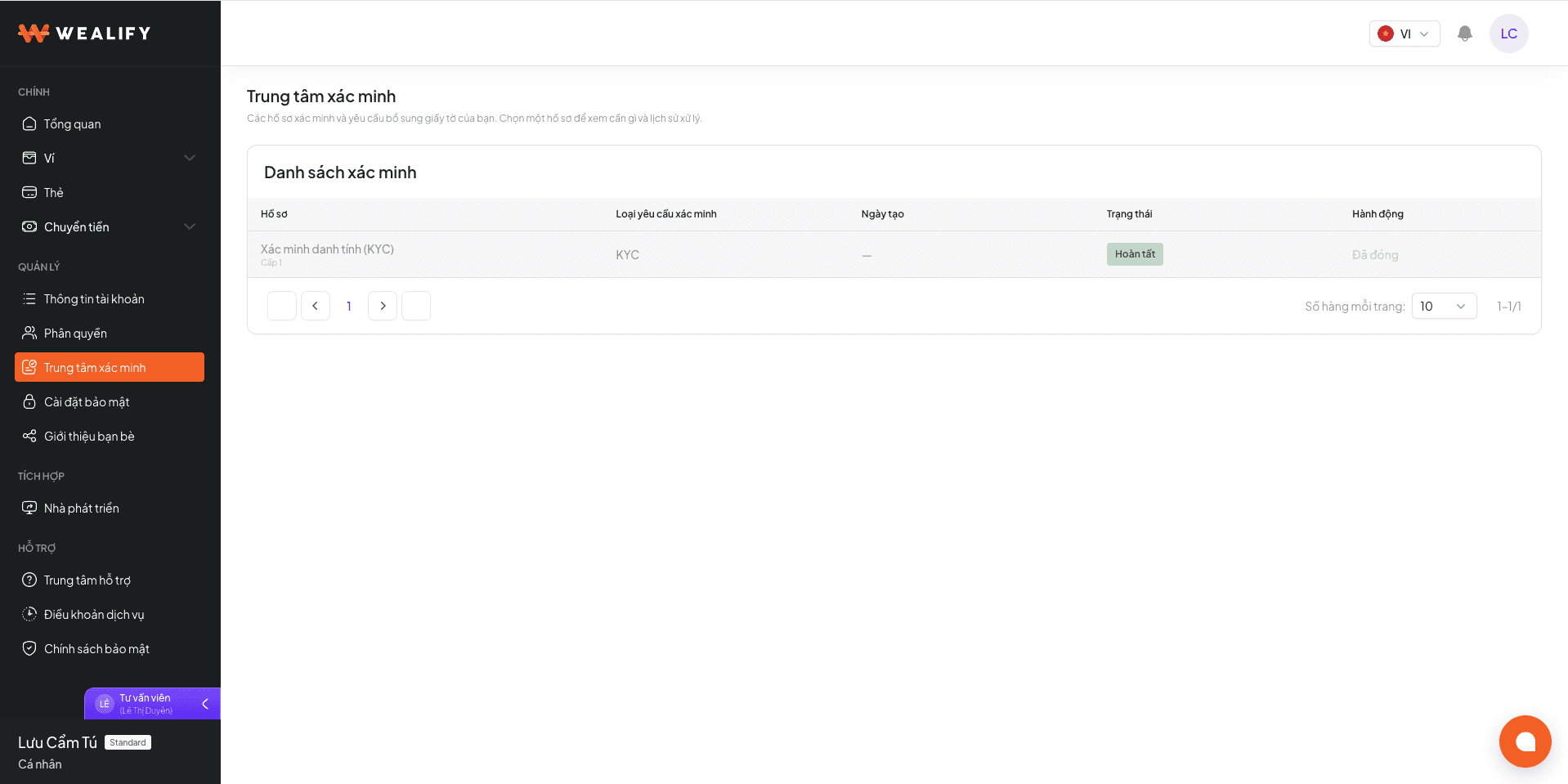
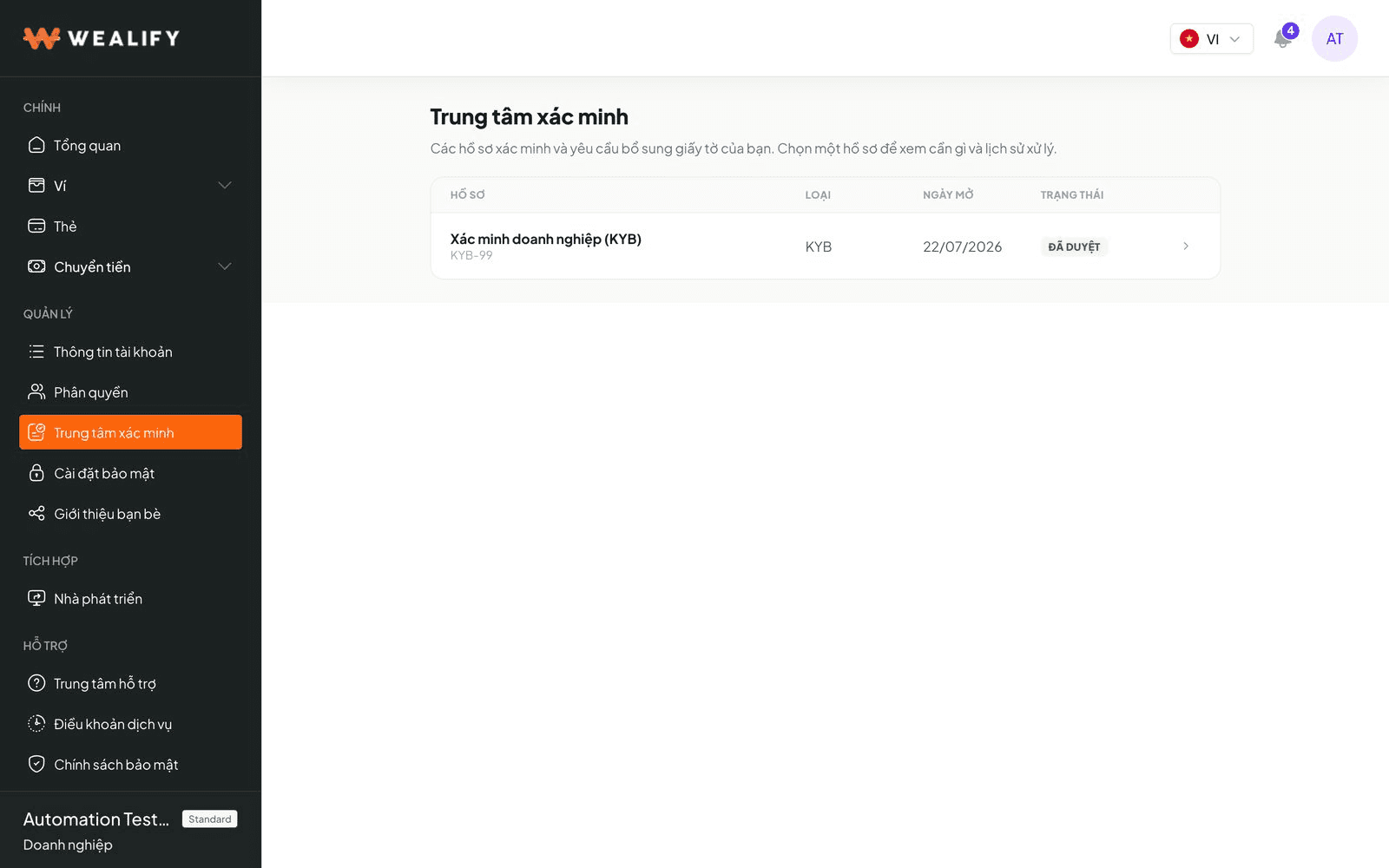
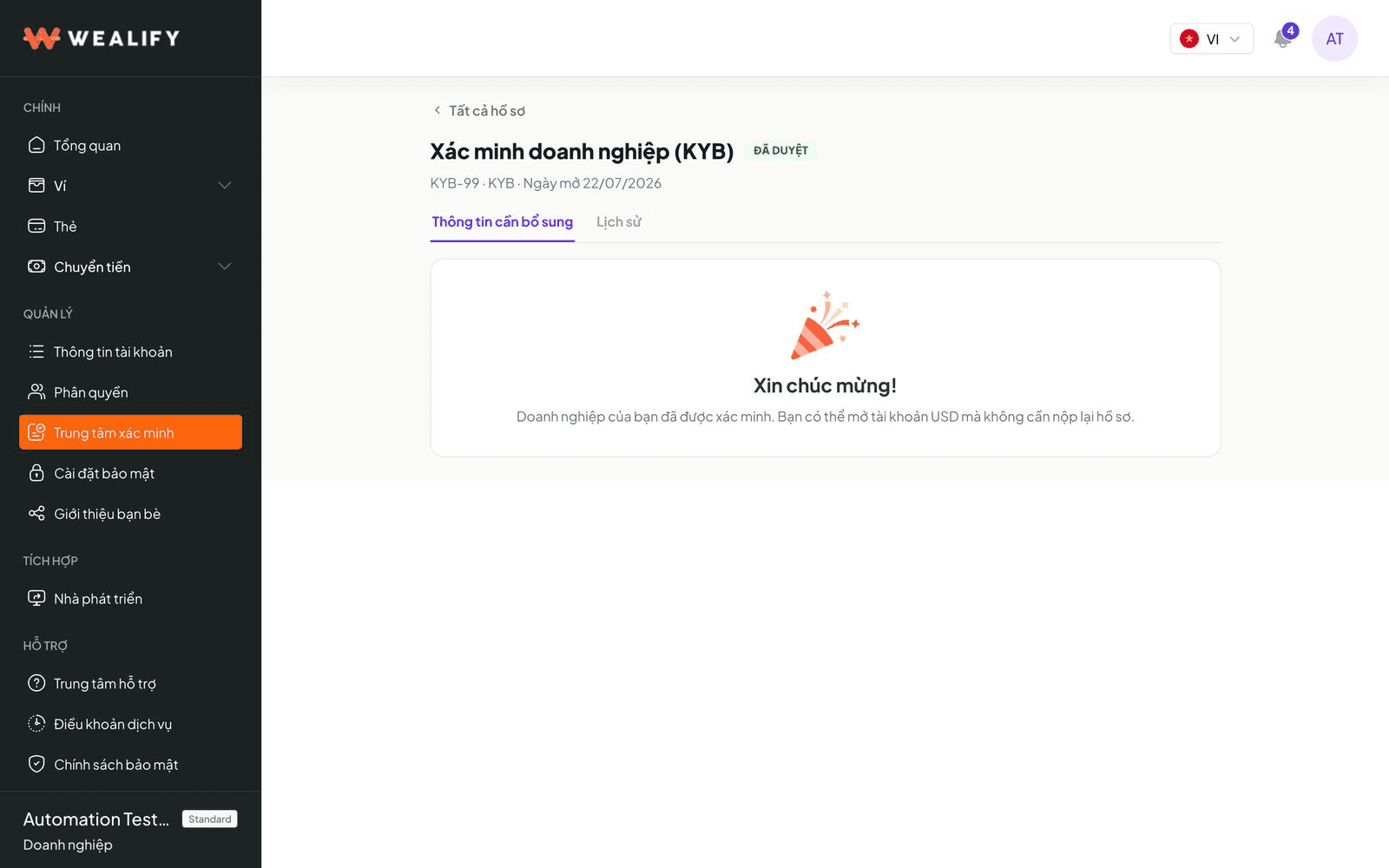
The Verification Center lists each of your applications: application ID, type (KYC, KYB, USD account opening, transaction documents), date opened and status. Each application has two tabs:

  • Information required — the items Wealify is waiting for you to submit.

  • History — your submissions, results and reasons, newest first.

When an application needs your action or has a result, Wealify notifies you by email and through the notification bell in the app.
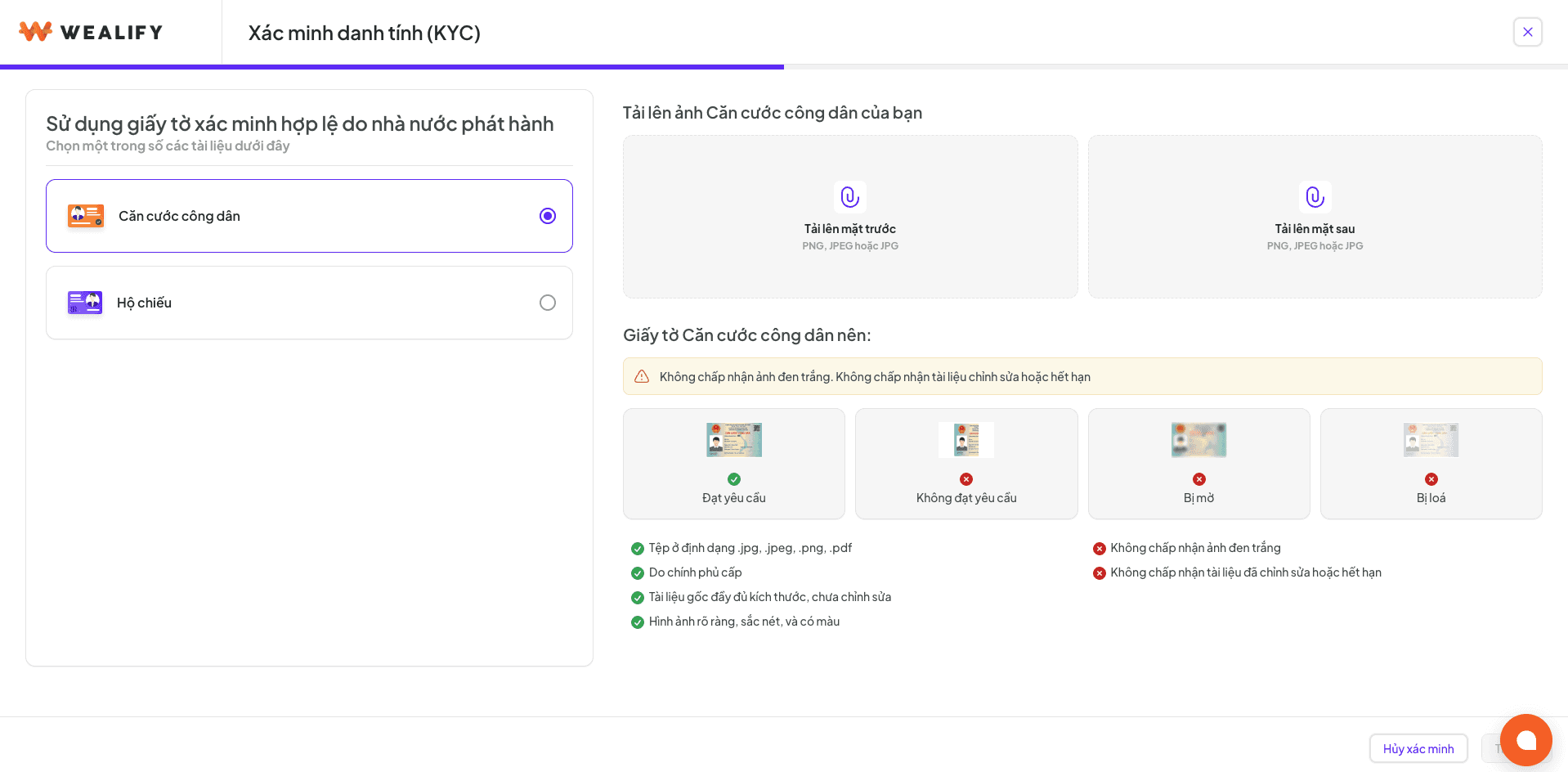
⚠️ ACCEPTED DOCUMENTS

  • A Citizen ID card (CCCD, photos of both sides) or passport (photo of the information page) that is still valid.

  • Clear photos, not edited, with no information covered.

  • Each document can only be used for one Wealify account.

Steps:

  1. Go to the Verification Center (or choose the verification reminder on the Overview screen) and start a KYC application.

  2. Verify your phone number if you haven't already.

  3. Choose the document type (Citizen ID card or passport) and upload the photos. The information on the document is read and filled in automatically.

  4. Check each field and correct anything that's wrong. Add your occupation (optional) and your current address if it's different from the address on the document. If you use a passport, also add your permanent address.

  5. Choose Submit. The application changes to Processing.

Document photo requirements: in color, well lit, no glare, all 4 corners visible, no numbers covered. Blurry photos are the most common reason for rejection.

Situation

What to do

Citizen ID card says "No expiry"

This is usually detected automatically. If it isn't, please select "Document with no expiry" yourself

Need to change your name after submitting

You can still edit your full name (the Edit button) until you complete level 2 identity verification. After level 2, the Edit button is no longer available; please contact Wealify CS if you need to change it

The document has been used for another account

The application is rejected. Each document can only be used for one account

KYC application statuses and what you need to do:

Status

Meaning

Set by

What you need to do

Processing

Wealify is reviewing your application, usually within a few business days

System

Wait for the result; no action needed

Approved

Verification complete

Wealify

Start creating Global Accounts and cards

Additional information required

Wealify needs a few specific items

Wealify

Choose Provide information and submit exactly the requested items

Rejected

The application didn't pass; the reason is shown

Wealify

Choose Resubmit and fix exactly the items that didn't pass

Business account: Business verification (KYB)

Documents to prepare (color scans or clear photos, PDF / JPG, up to 10 MB per file). The list depends on the country where the business is registered. The table below shows the usual set for Vietnamese businesses:

Document

Required

Notes

Business registration certificate

Yes

The latest version as of the submission date, and still valid

Company charter

Yes

The latest version as of the submission date, and still valid

Operating agreement, register of members or shareholders

Depends on the business type

Needed when there are multiple owners

Ownership structure chart

No

Recommended if the ownership structure has multiple layers

Proof of company address

Yes

Electricity / water bill or bank statement from the last 3 months

Proof of address for each director and each owner with 25% or more

Yes

From the last 3 months

Steps:

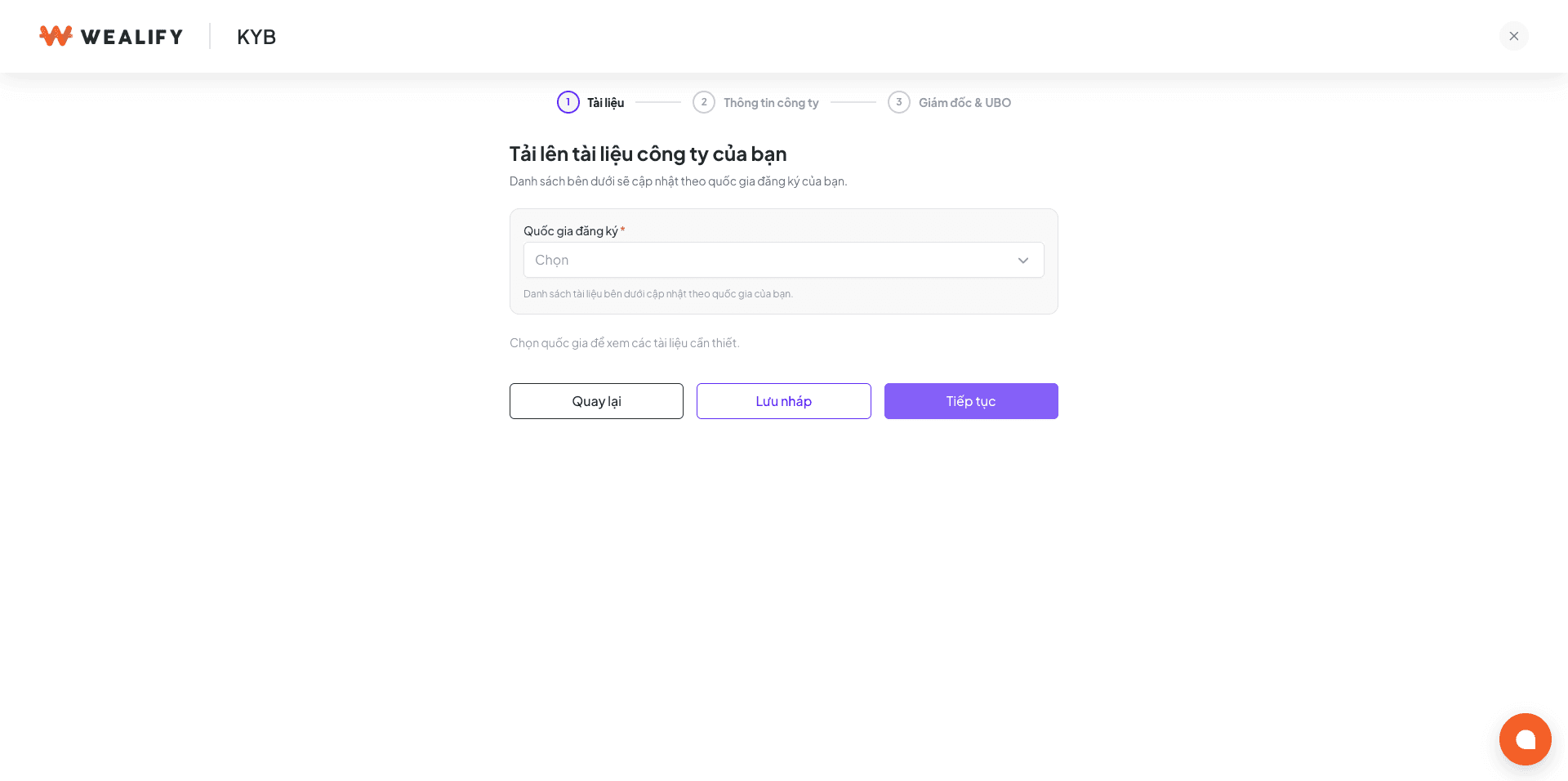
  1. Upload documents: choose the Country of registration and upload each file into the right field.

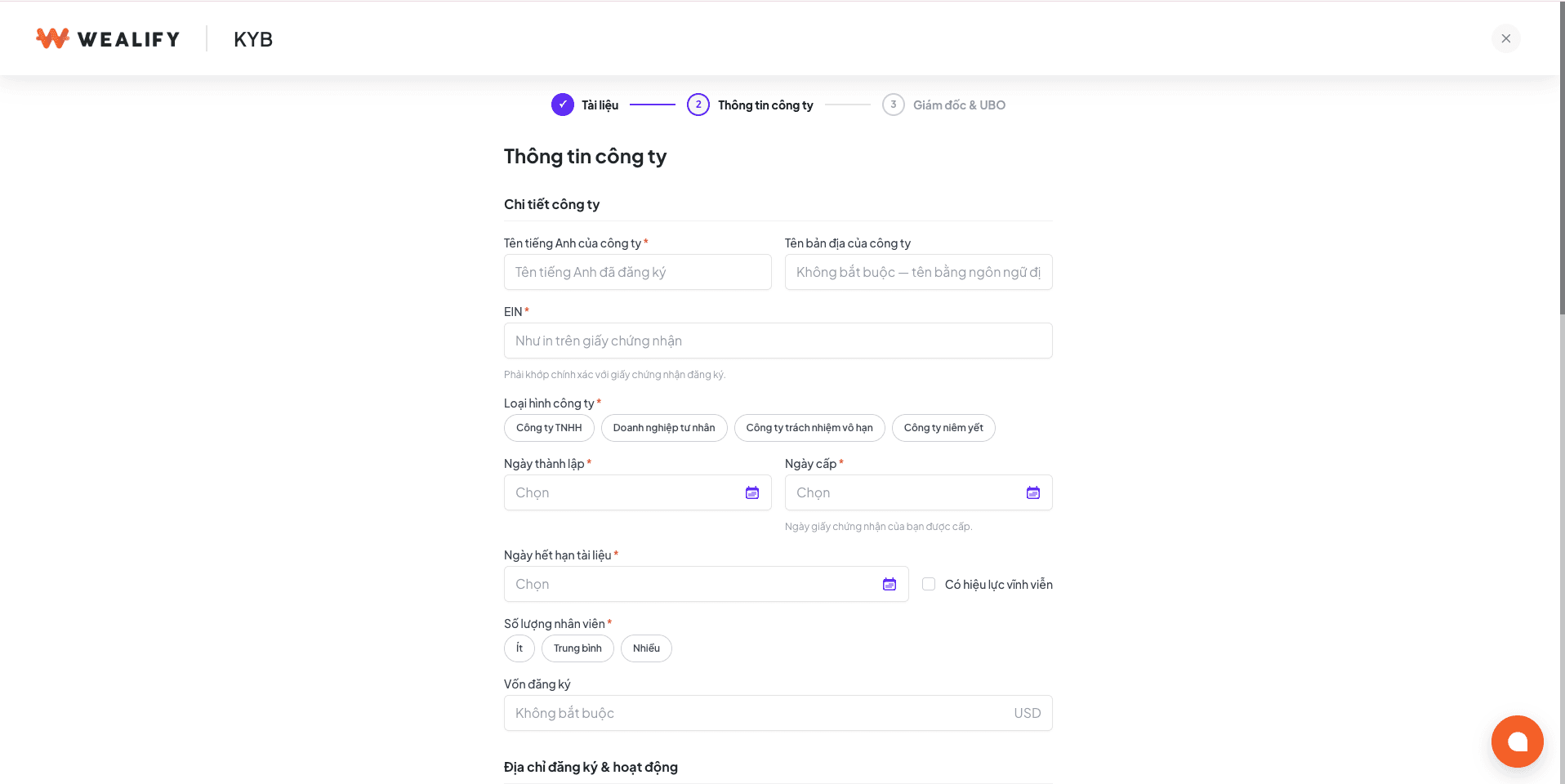
  2. Company information: check and complete the English name, business registration number, business type, date of incorporation, number of employees, registered and operating addresses, industry, trading markets, source of funds, purpose of use and expected monthly volume. If the license has no expiry date, tick Valid indefinitely.

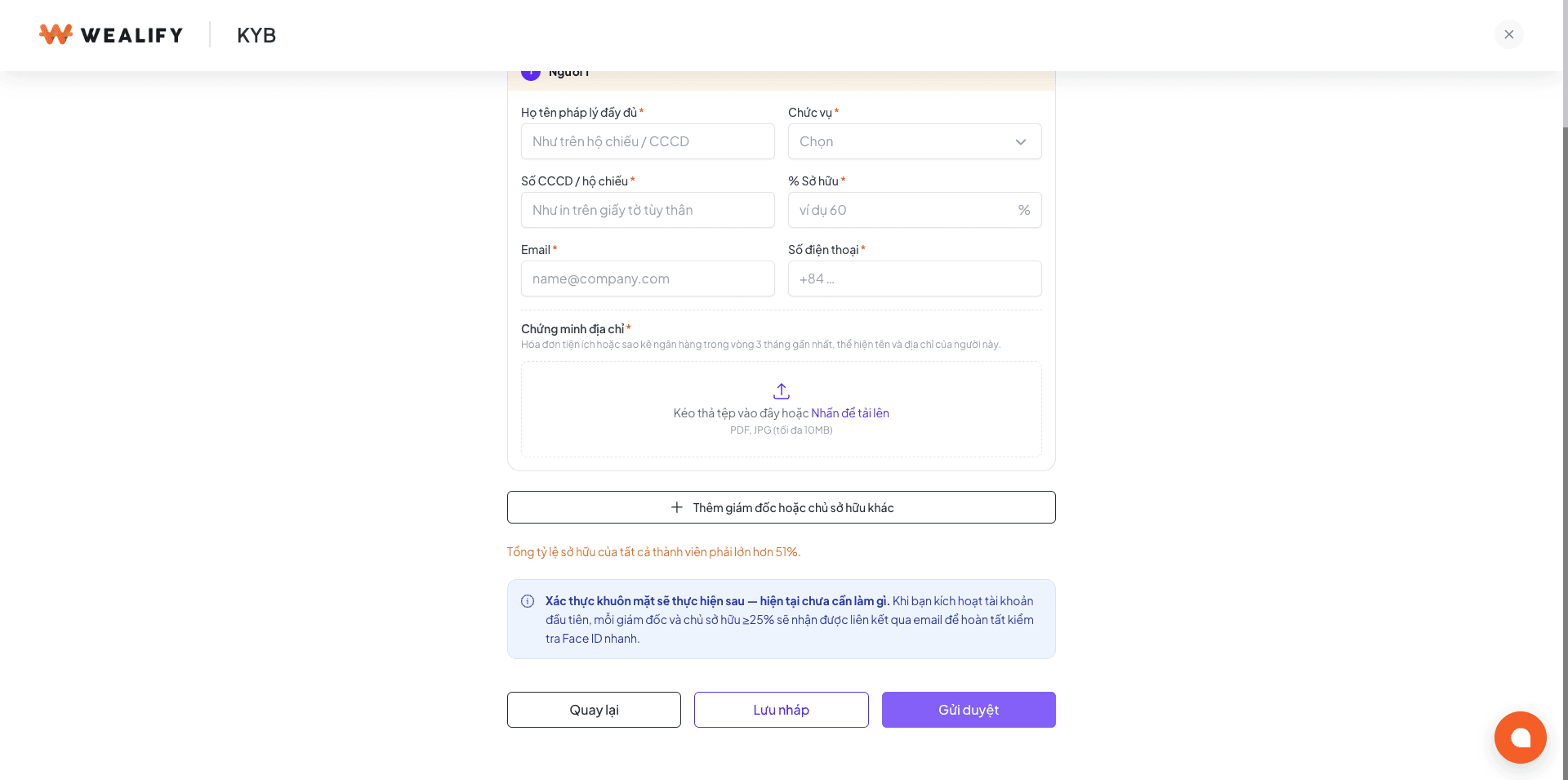
  3. Directors and owners: list all directors and every individual who owns 25% or more (1 to 5 people). The total declared ownership must be between 51% and 100%. If no one owns 25% or more, list the most senior executive.

  4. Choose Submit. The application changes to Processing. You can save a draft at any step.

KYB application statuses and what you need to do:

Status

Meaning

Set by

What you need to do

Draft

Being filled in, not yet submitted

You

Continue filling it in and choose Submit

Processing

Wealify is reviewing it

System

Wait for the result. During this time you can't edit or resubmit

Additional information required

A few specific items are needed

Wealify

Choose Provide information

Rejected (can resubmit)

The application didn't pass; the reason is shown

Wealify

Choose Update and resubmit. The form reopens with your previous data, and the rejection reason is shown at the top

Rejected (can't resubmit)

Can't continue for legal reasons

Wealify

Please contact Wealify CS

Approved

Verification complete

Wealify

Start creating Global Accounts and cards

Rejection reasons you can resubmit for: documents older than 3 months, blurry documents, expired license, missing required documents, information on documents doesn't match what you entered, incomplete owner information, insufficient ownership percentage, business registration number can't be verified, invalid proof of address. Only the reason "industry not supported" can't be resubmitted.

⚠️ NOTE

  • Each business registration number can only be used for one Wealify account.

  • If an owner with 25% or more is another company, please contact Wealify CS for guidance.

  • Documents required to be "from the last 3 months" may become outdated if you leave your application as a draft for too long. Please complete your application within one month.

Verification Center — track all your applications

The Verification Center menu lists each application as one row: application ID, type (KYC · KYB · USD account opening · transaction documents), date opened and status. Click a row to see what that application needs.

Each application has two tabs:

Tab

Content

Information required

The items Wealify is waiting for you to submit. Once the application is approved, this tab is empty

History

Your submissions, results and reasons, newest first

Every status change is sent to you by email and through the notification bell in the app. Wealify only notifies you when you need to act or when there is a final result — there are no notifications for the steps in between, so it's normal for an application to be quiet for a while.

Provide additional information when requested

When Wealify needs more documents for a KYC, KYB or USD account application, or for an incoming payment, you'll get an email and an in-app notification. You don't need to start over.

  1. Choose Provide information in the email or notification. You can also go to the Verification Center and open the application with the status Additional information required.

  2. The Information required tab lists exactly the requested items, each with a reason. Upload a file (PDF / JPG / PNG, up to 10 MB) or enter the information for each item.

  3. Submit all required items and choose Send. The application goes back to Processing.

  • Statements and proof of address must be from the last 3 months as of the day you submit them.

  • For incoming payments that need documents: each payment is a separate application. While you wait, the money from that payment isn't credited to your Wealify wallet yet.

Global Account statuses

Status

Meaning

Account number

What you need to do

Verifying application

Your USD account application is being verified, usually within 2 to 4 business days

Not yet

Wait. If anything else is needed, you'll be notified by email and in the app

Opening account

The bank is opening the account

Not yet

Wait. The account number appears when it's done

Active

Receiving money normally

Yes

Send your receiving details to the payer

Rejected

The application wasn't accepted

No

Open the account details to see the reason

Restricted

The account is partly limited or on hold for review

Yes

Open the account details to see the restriction. Please contact Wealify CS if you need help

Disabled

The account is closed and can't receive money

Yes

Remove this account number from your platforms / partners. Please contact Wealify CS if you need help