Safety and support

Official Wealify contact channels

Channel

Details

Support hours

Livechat

The chat icon in the bottom-right corner of the Wealify website / app

08:30 – 22:00

Email

support@wealify.com

08:30 – 17:30

Zalo / Hotline

0987896321

08:30 – 22:00

Telegram

@caohuyentrang

08:30 – 22:00

Fanpage

facebook.com/wealify

08:30 – 22:00

Facebook Group

facebook.com/groups/wealifyvietnam


For faster support, please include:

  • Your Wealify account email

  • The transaction ID, or the blockchain transaction ID (TxHash) for stablecoin transactions

  • The name or last 4 digits of the card involved

  • A screenshot or video of the error message

Impersonation warning — Wealify will never ask you for this information

🔒 WEALIFY WILL NEVER ASK FOR

  • Your full card number or CVV

  • Your OTP code

  • Your account password

If anyone asks for this information — even if they say they work for Wealify — it's a sign of fraud.

How to tell a genuine contact:

Wealify's official channels — only contact us through these:

  • Livechat: click the chat icon in the bottom-right corner of Wealify

  • Email: support@wealify.com

  • Hotline / Zalo: 0987896321

  • Telegram: @caohuyentrang

  • Fanpage: facebook.com/wealify

  • Group: facebook.com/groups/wealifyvietnam

  • All Wealify OTP codes are sent from no-reply@wealify.com, have 6 digits, and the subject line starts with "[Wealify]".

  • Emails asking for transaction documents are sent from compliance@wealify.com.

  • Only contact Wealify through the official channels listed in article 10.1. Wealify doesn't provide support through any other Telegram account, Zalo account or fanpage.

If you receive an OTP email about a transfer or password change that you didn't make: change your password immediately and contact Wealify CS.

If you think your card details have been exposed:

  1. In the card details, click Freeze card and confirm. The card won't be able to make any transactions.

  2. Contact Wealify CS with the card name, last 4 digits and any unusual transactions.

Protect your Wealify account

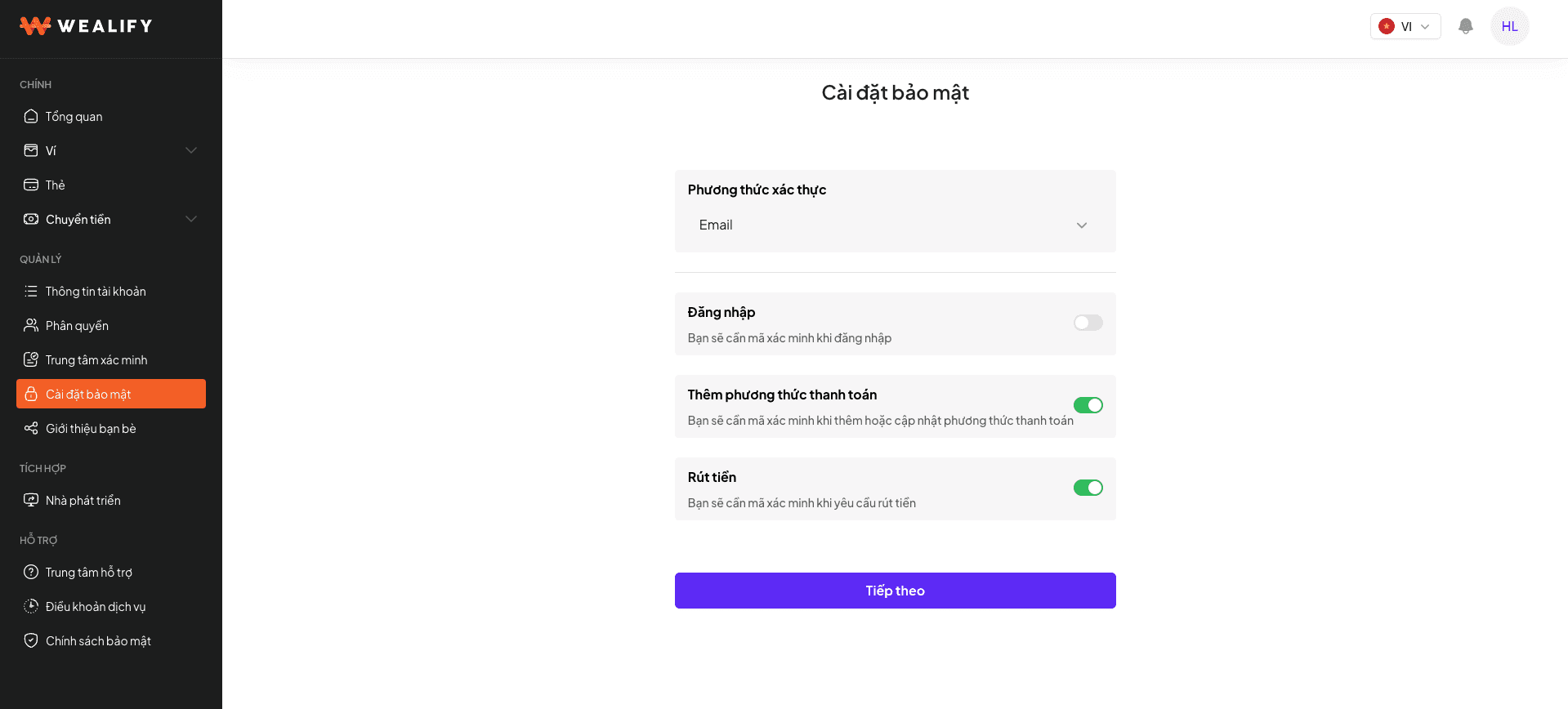
  • Turn on two-factor authentication for login and for adding payment methods.

  • If you use Google Authenticator, keep your recovery code somewhere safe. If you lose your phone without the recovery code, you'll need to contact Wealify CS.

  • Keep your API Key secret, like a password, if you have a system integration.

  • Before every stablecoin transfer: check the network, token and address, and send a small test amount first.

Report a technical issue or suggest a feature

Report a technical issue:

  1. Note down the problem: what you were doing, when, and the message on the screen.

  2. Take a screenshot or record a video if you can.

  3. Send the information to Wealify CS through one of the official channels.

Suggest a new feature: please send it to Wealify CS through one of the official channels. Email: support@wealify.com · Livechat: the chat icon in the bottom-right corner of Wealify · Hotline / Zalo: 0987896321.

Terms and policies: under the SUPPORT group in the left menu, choose Terms of Service or Privacy Policy.

Glossary

Term

Meaning

Global Account

The bank account Wealify issues to you for receiving money (previously called VA / Virtual Account)

Wallet

Where all your Wealify balances are kept

Available balance

The amount you can use right away; doesn't include incoming or outgoing money

Recipient

A bank account or stablecoin wallet you've saved to transfer money to (previously called payment method / linked bank)

Transfer

Moving money out of your Wealify wallet (previously called Withdraw)

TxHash

The transaction ID on the blockchain, taken from the exchange or wallet you sent from

Authorization hold

The merchant temporarily holds the money before the final charge — the most common reason a card balance looks off

Settlement

The merchant finalizes the transaction and actually charges the card

3D Secure / verification code

An extra verification step when paying online; the code is sent to the card's email

PAN

The full card number. Never share it with anyone

Decline

The transaction was declined

KYC / KYB

Personal identity verification / business verification

ACH / Wire / SWIFT

Three USD transfer methods. ACH and Wire are used within the US; SWIFT is used for international transfers

ABA (routing number)

US bank identifier, 9 digits

BIC / SWIFT code

International bank identifier, 8 or 11 characters

FATCA (W-8BEN / W-9)

US tax forms required when opening a Global Account USD

UBO / ultimate beneficial owner

An individual who owns 25% or more of the business

Outstanding card fees

Fees that couldn't be charged because the wallet didn't have enough money